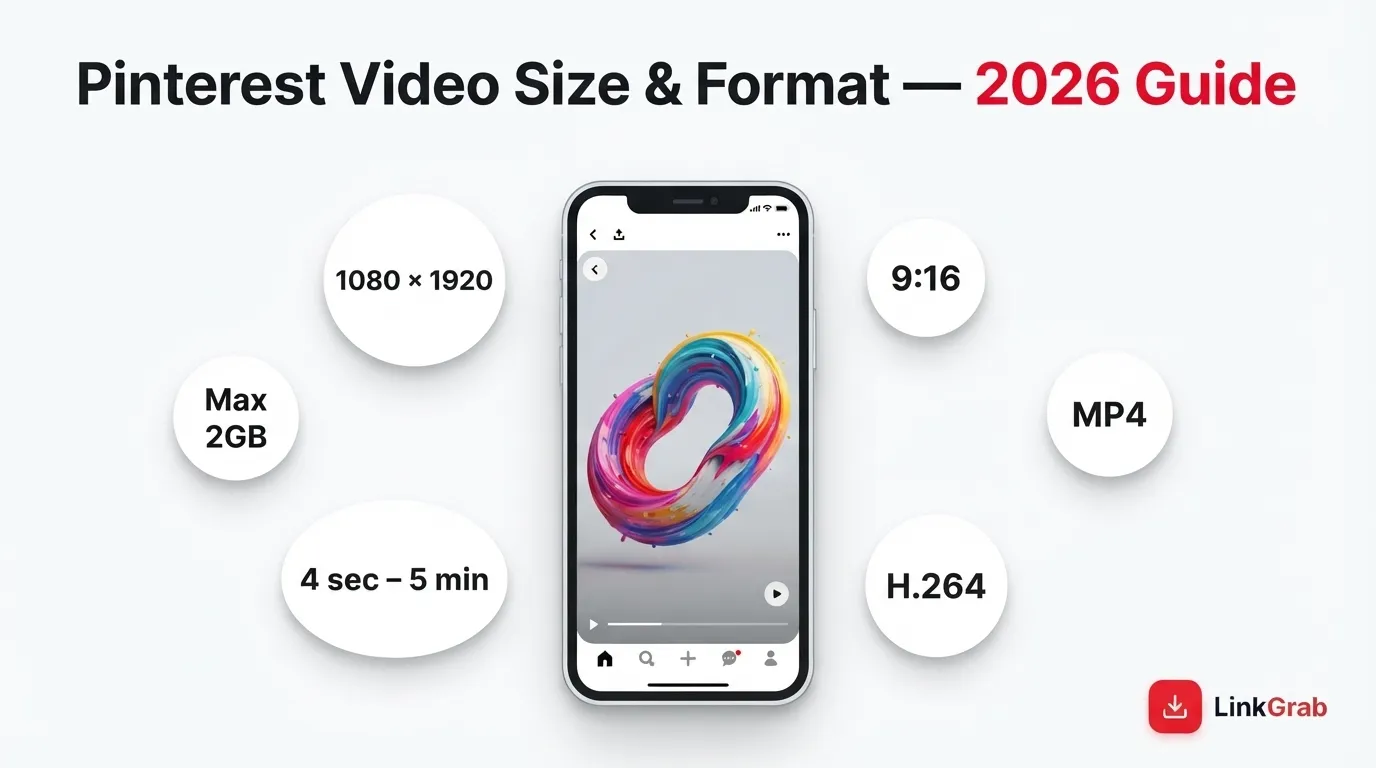
Pinterest recommends 1080 × 1920 pixels (9:16 aspect ratio) for full-bleed video Pins. Accepted formats are .MP4, .MOV, and .M4V with H.264 or H.265 encoding. Videos must run between 4 seconds and 5 minutes for organic Pins, with a maximum file size of 2GB.
That’s the short answer. But if you’ve ever uploaded a video that looked sharp in your editor and soft on Pinterest, or watched a carefully framed shot get clipped at the edges, you know the numbers alone don’t solve everything.
Table of Contents
What Are the Current Pinterest Video Specifications?
Pinterest’s requirements follow how people actually use the platform: on phones, scrolling vertically, with sound off.
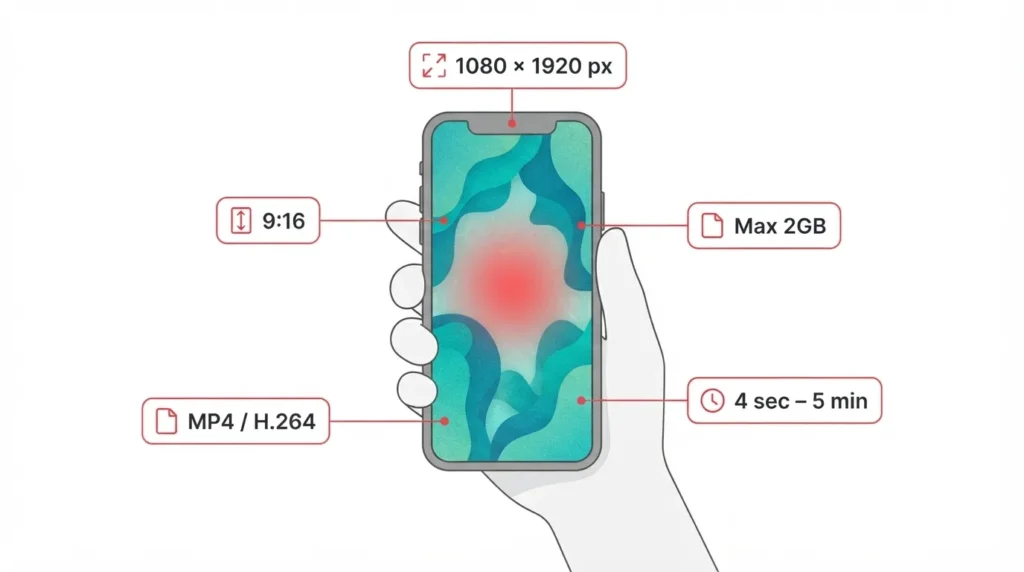
Recommended Dimensions: 1080 × 1920
For full-bleed video, use 1080 × 1920 pixels. That’s a 9:16 ratio, the same vertical format as TikTok and Instagram Reels. Full-bleed means the video fills the screen with no borders, which gives it maximum presence in the feed.
This resolution matches most modern smartphone screens. A video exported at these dimensions displays 1:1 without upscaling, so it stays crisp.
Aspect Ratios Compared
Pinterest accepts 1:2, 2:3, 3:4, 4:5, 9:16, and 1:1. Here’s how they differ:
| Aspect Ratio | Dimensions | Best For |
| 9:16 | 1080 × 1920 | Full-bleed video, maximum feed presence |
| 2:3 | 1000 × 1500 | Standard Pin format, familiar layout |
| 4:5 | 1080 × 1350 | Taller than square, shorter than full vertical |
| 1:1 | 1080 × 1080 | Square content, cross-platform use |
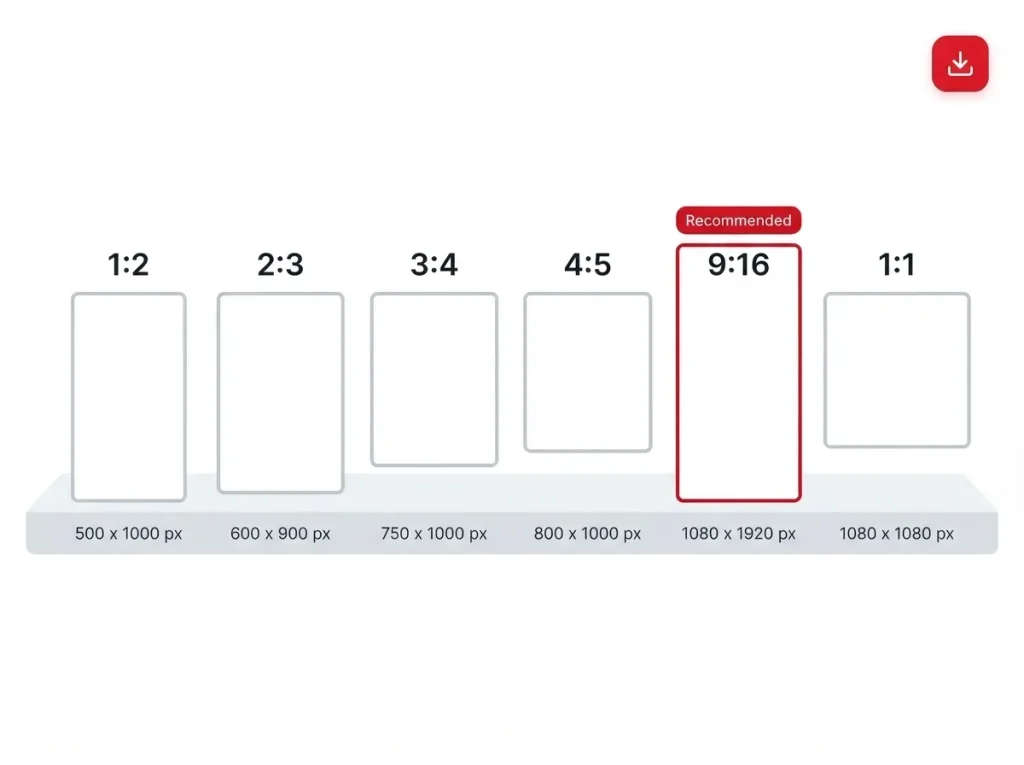
The 2:3 ratio is worth noting. It matches the shape of a standard image Pin, so it blends into the feed without disrupting the browsing rhythm. Some creators see stronger engagement with it. For reach, though, 9:16 remains the recommendation.
Accepted Formats and Encoding
Pinterest accepts .MP4, .MOV, and .M4V files, encoded with H.264 or H.265. H.264 is the safer choice universally supported and unlikely to cause upload issues. H.265 produces smaller files at similar quality, but some older editing software handles it poorly. If an upload fails for no obvious reason, re-export with H.264.
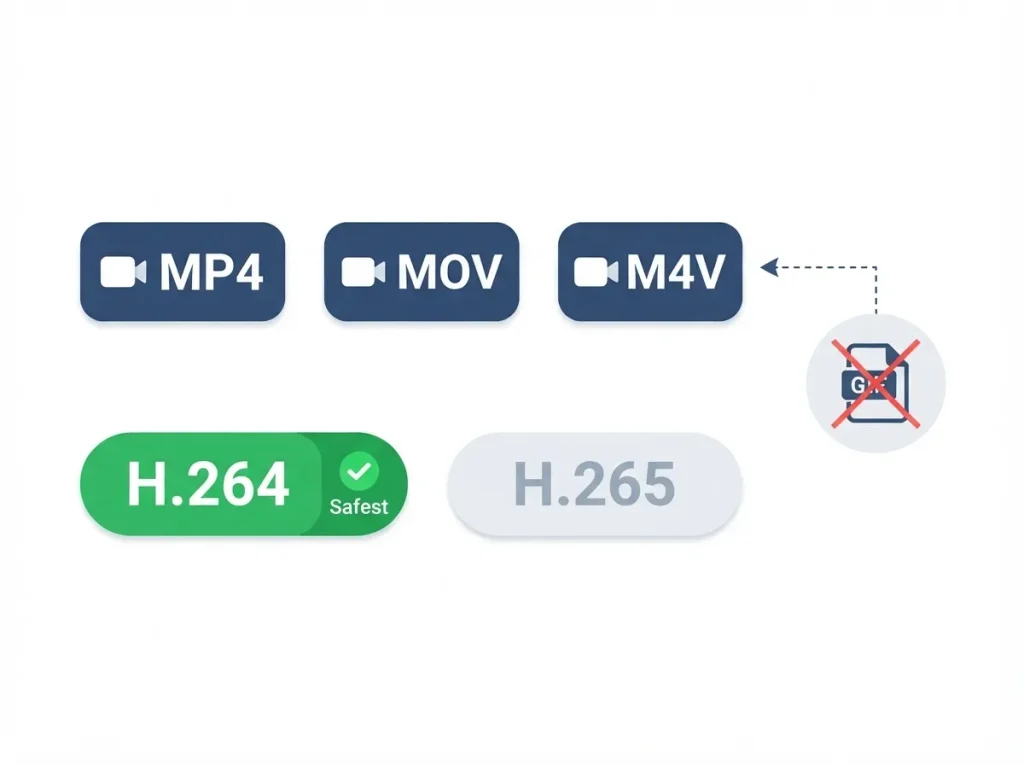
GIFs aren’t supported. If you have animated content in that format, learn how to post a GIF on Pinterest by converting it to MP4 first.
Length and File Size Limits
Organic video Pins run from 4 seconds to 5 minutes. Pinterest Ads allow up to 15 minutes. The 4-second minimum prevents near-static uploads; the 5-minute cap keeps organic content short enough to hold attention.
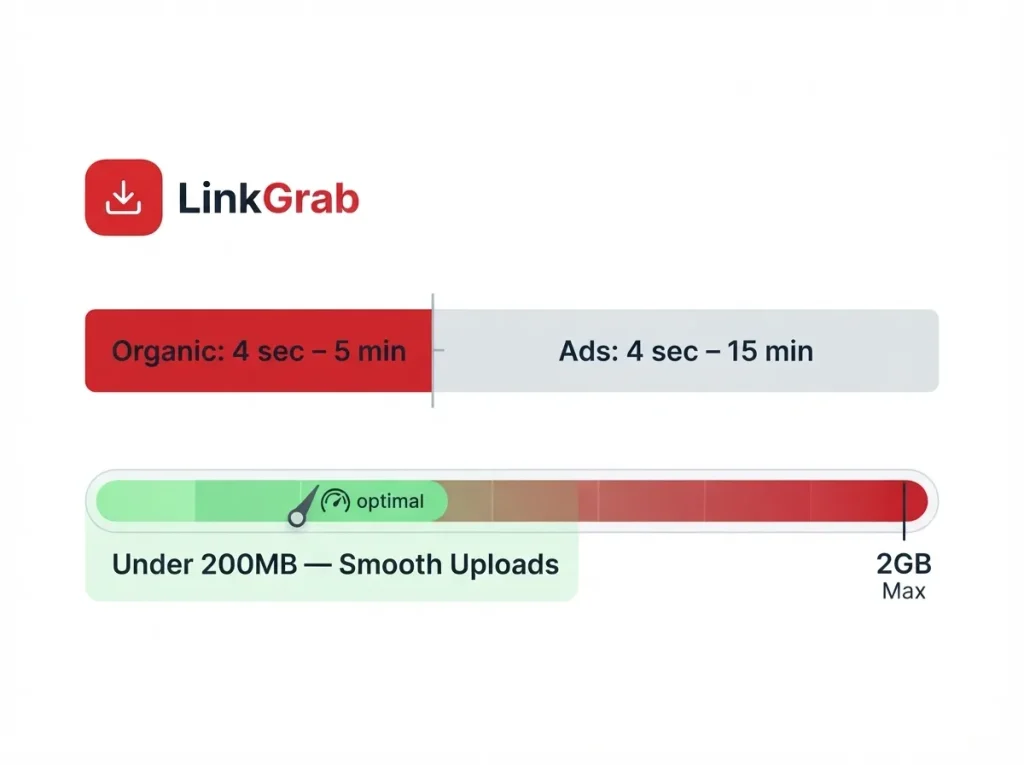
Maximum file size is 2GB. You’ll hit the length limit long before the size limit. For smoother uploads, aim under 200MB smaller files process faster and are less likely to stall.
Why Pinterest Video Size Matters
Specs are easy to list. What happens when you get them wrong is the part that actually affects your results.
The Cost of a Wrong Aspect Ratio
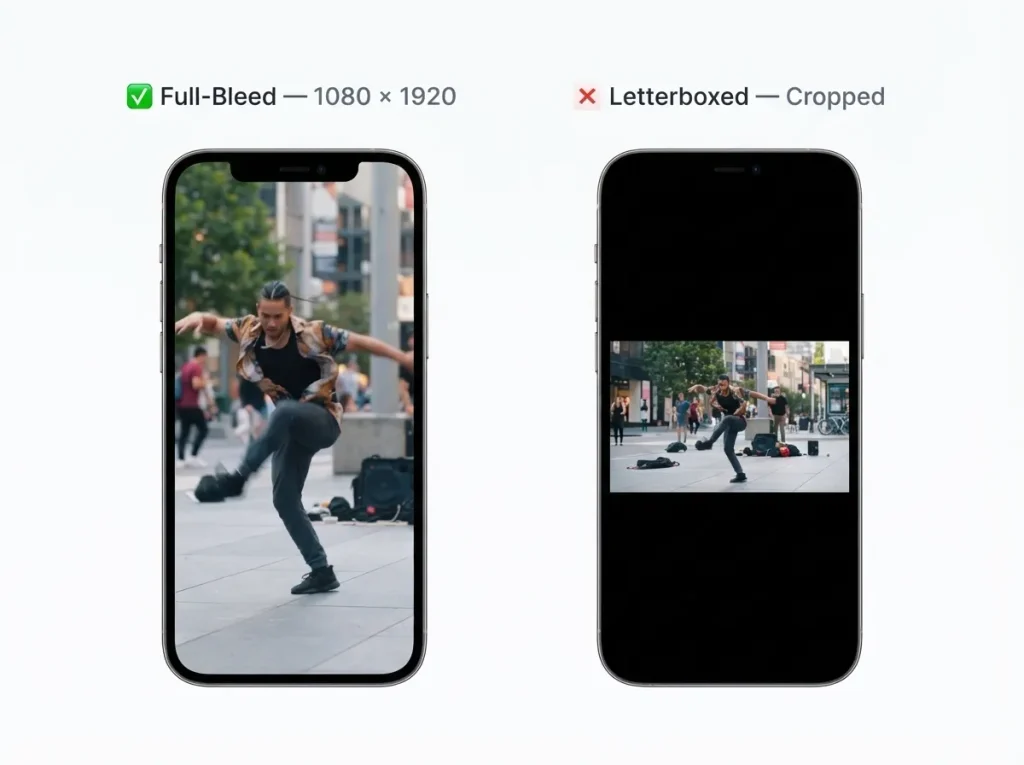
Pinterest accepts non-vertical video, then crops or letterboxes it to fit the feed. A horizontal 16:9 clip gets black bars or a narrow vertical window that cuts off the sides. Either way, your video takes up less space. In a feed where users decide in a fraction of a second whether to stop, less space means fewer stops and that’s often why your Pinterest monthly views are decreasing.
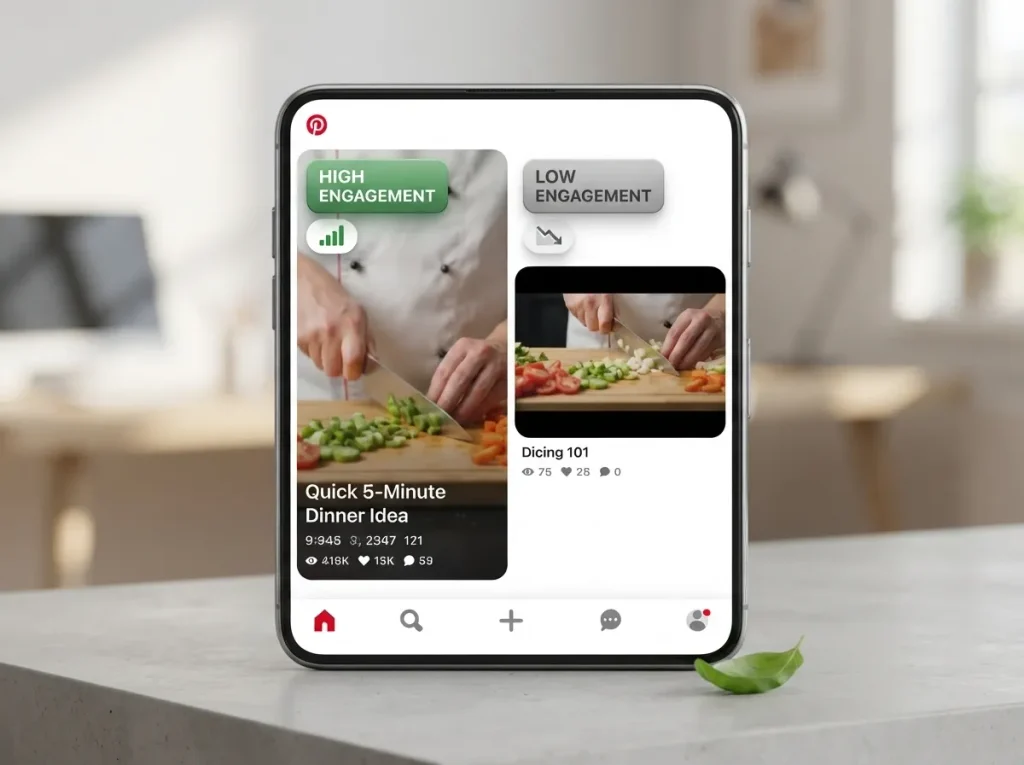
Vertical video dominates Pinterest’s top-performing content. It’s not a technical preference it’s an engagement pattern. Understanding how the Pinterest algorithm works makes this clearer: the platform rewards content that keeps people on the app, and vertical video does that better.
Why Vertical Wins on Pinterest
Pinterest is mobile-first. Most browsing happens on a phone held upright, in a single-column feed. Horizontal video was built for televisions and desktops. It fights the device.
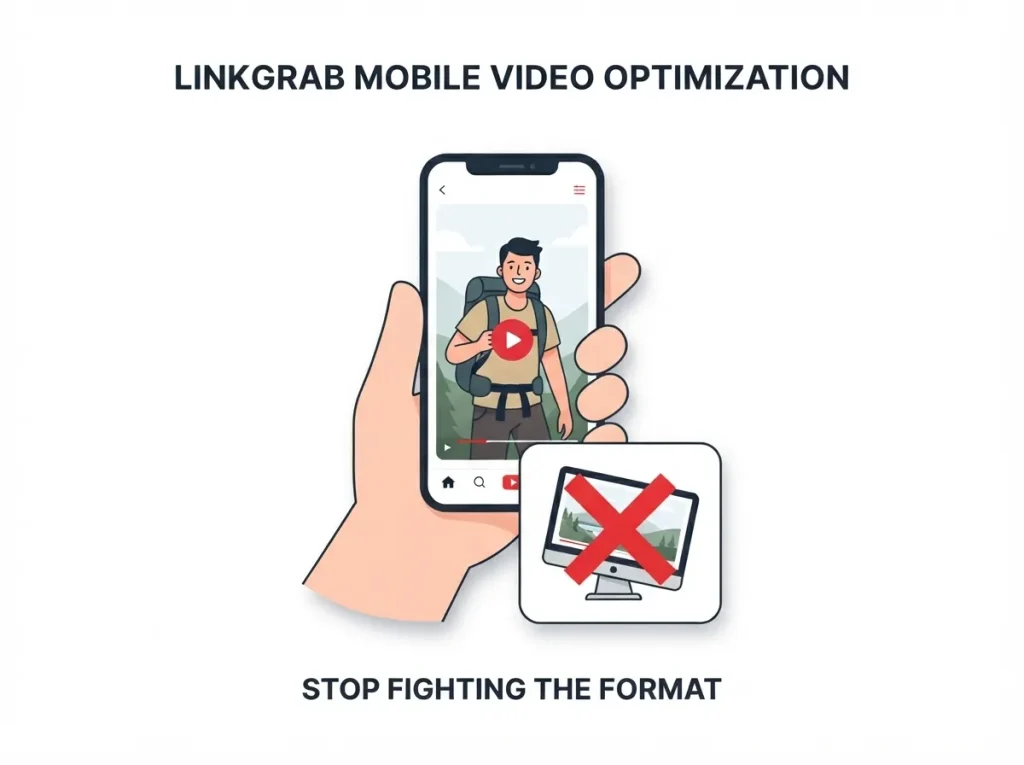
Vertical video uses the full screen. No turning the phone sideways, no wasted space, no break in the browsing flow. That alignment is why it performs.
Full-Bleed vs. Standard Video Pins
A full-bleed video fills the entire screen. A standard video Pin sits within the feed’s regular dimensions. Full-bleed requires a 9:16 ratio; standard Pins are more flexible.
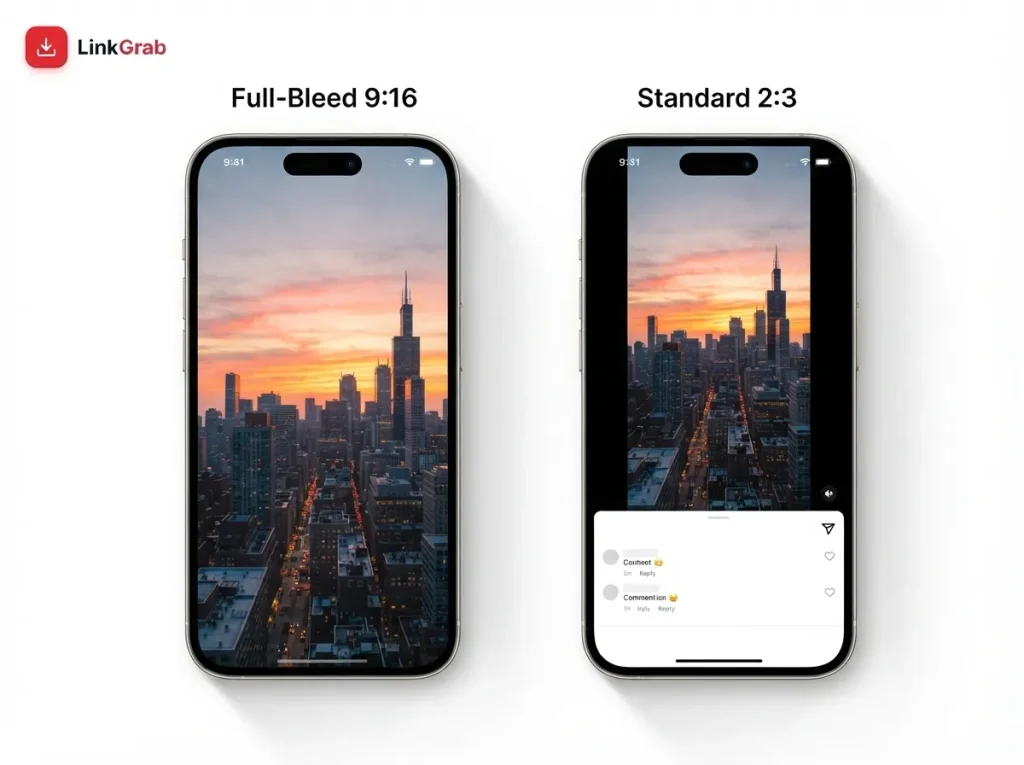
If you’re creating for Pinterest specifically, build around full-bleed 9:16. If you’re repurposing from another platform, standard dimensions may be more practical.
Pinterest vs. Other Platforms
Most creators publish to more than Pinterest. Knowing where the specs overlap saves a lot of re-exporting.
9:16 Works Almost Everywhere
The 1080 × 1920 vertical format works natively on TikTok, Instagram Reels, YouTube Shorts, Facebook Reels, and Pinterest. If you’re already creating for any of those, the file will upload to Pinterest without changes.
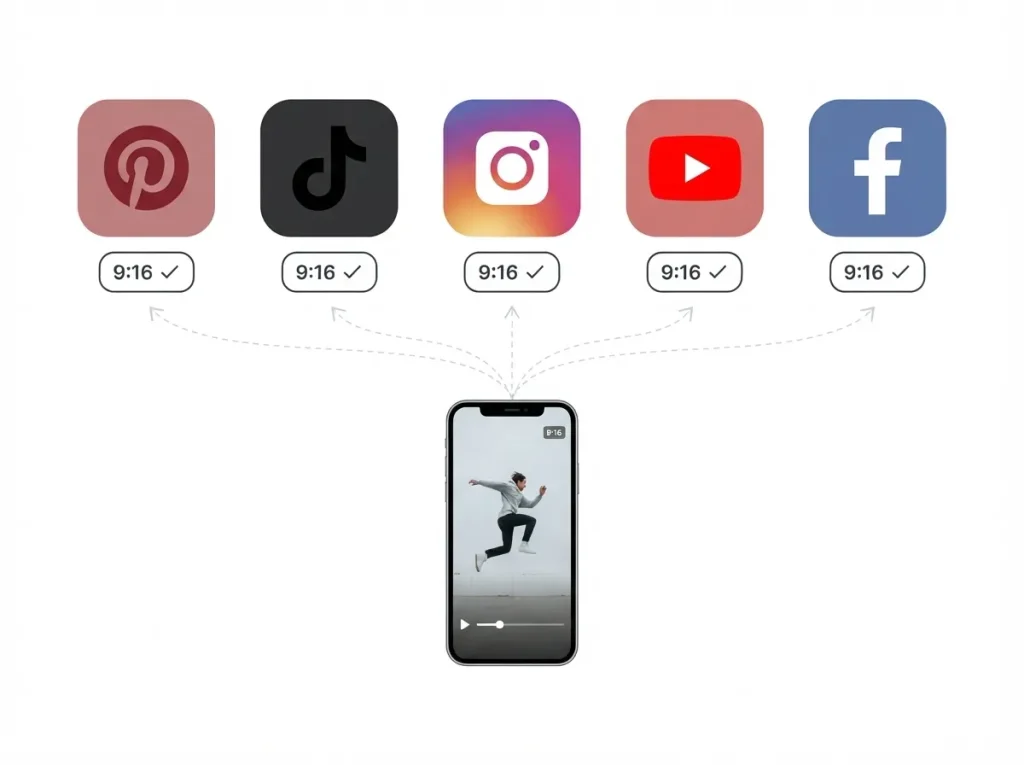
The differences are in length and file size limits:
| Platform | Max Length (Organic) | Max File Size |
| 5 minutes | 2GB | |
| TikTok | 10 minutes | 287MB (mobile) |
| Instagram Reels | 15 minutes | 4GB |
| YouTube Shorts | 3 minutes | 256MB |
Pinterest’s 5-minute cap sits in the middle. Its 2GB file limit is higher than TikTok’s mobile cap, so files that work there will almost certainly work here. If your goal is reach across platforms, how to use Pinterest to drive traffic covers the strategy side.
Safe Zones Differ
Even with correct dimensions, text and UI elements can overlap. Pinterest places its save button, link icon, and profile info at the bottom of the screen. Critical text near the bottom edge may be hidden.
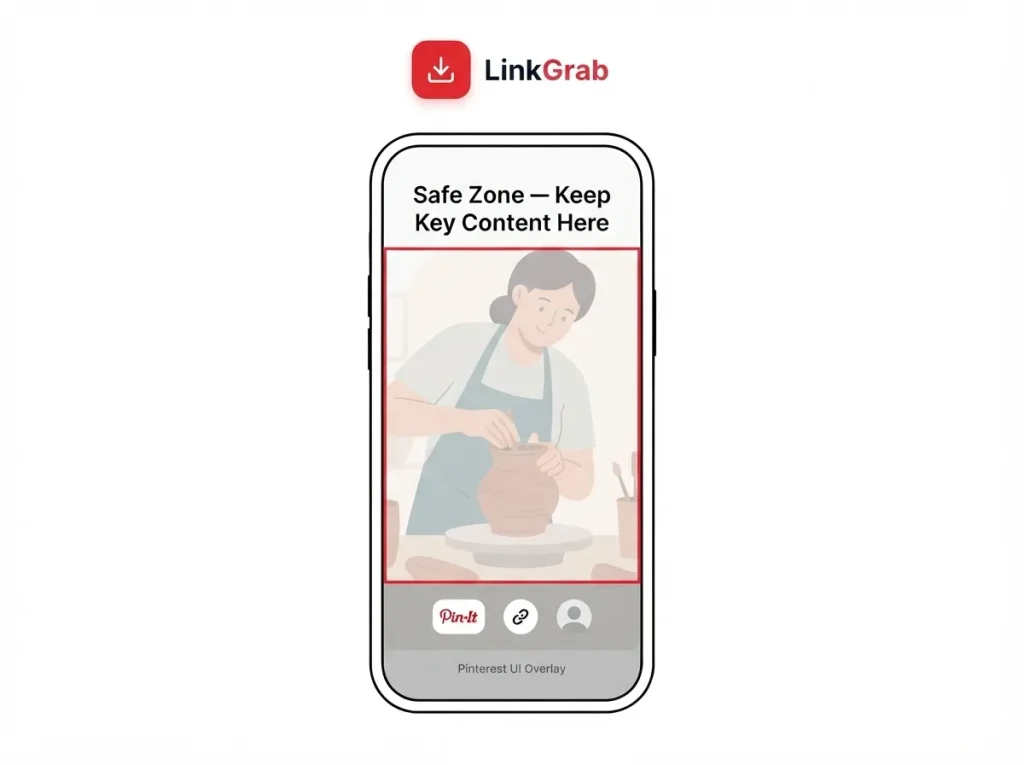
Keep important content within the central 80% of the frame. If you designed for TikTok or Reels, check those safe zones they’re similar but not identical.
When to Re-Export
Re-export if:
- Your video is horizontal (crop to 9:16 or 2:3)
- It exceeds 5 minutes (trim or split it)
- It uses an unsupported codec (switch to H.264)
- Text sits in Pinterest’s UI zone
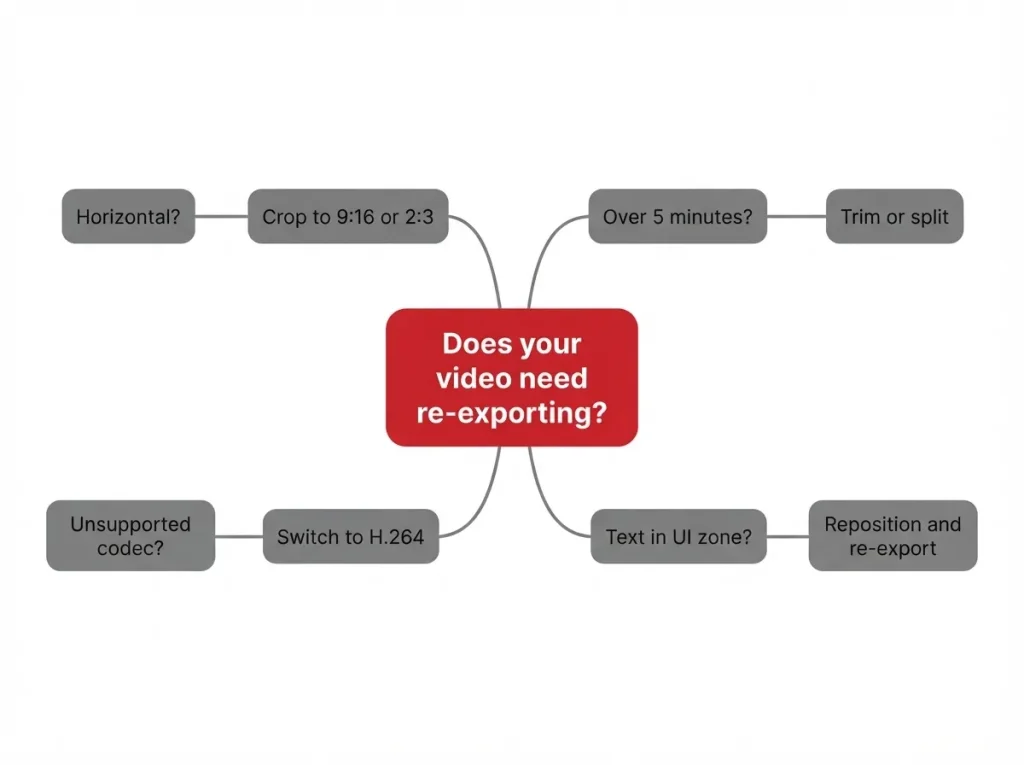
Keep a master project file at the highest quality, then export platform-specific versions. It’s faster than re-editing each time.
Common Mistakes and Fixes
Video Looks Blurry or Pixelated
Three usual causes:
Upscaling. A video exported below 1080 × 1920 gets stretched on Pinterest. Export at the correct resolution or higher.
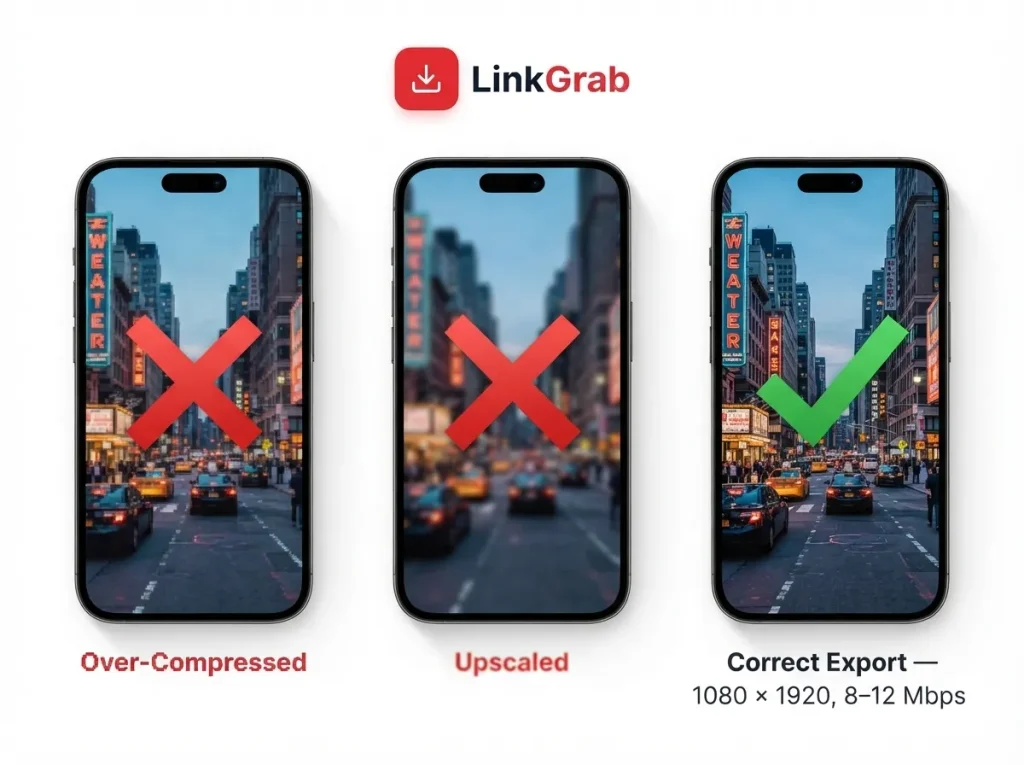
Over-compression. Low bitrate settings during export create visible artifacts, especially in motion-heavy scenes. Aim for 8–12 Mbps at 1080p.
Double compression. Editing an already-compressed clip and exporting again compounds the artifacts. Start from the highest-quality source you have.
Video Is Cropped on Mobile
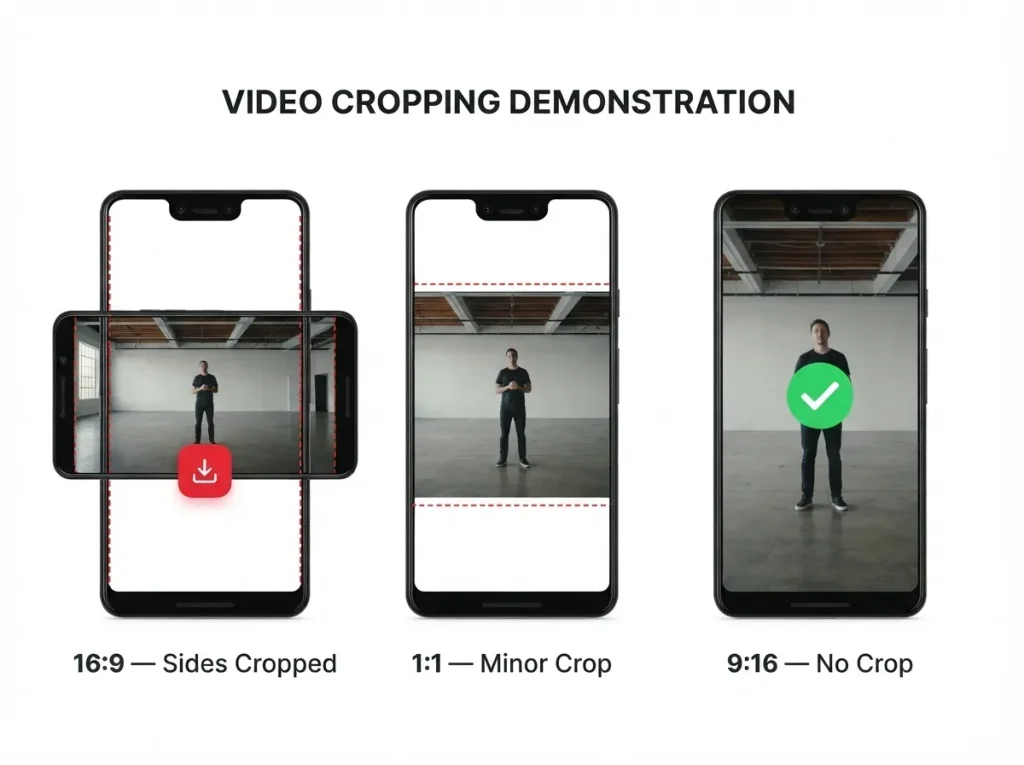
Pinterest crops video to fit its vertical display area. Horizontal video loses its sides; square video loses a little top and bottom. Use a vertical ratio 9:16, 2:3, or 4:5 to avoid aggressive cropping.
Video Won’t Upload
Check the basics first:
- Format: .MP4, .MOV, or .M4V only
- Size: under 2GB
- Encoding: H.264 or H.265
- Length: between 4 seconds and 5 minutes
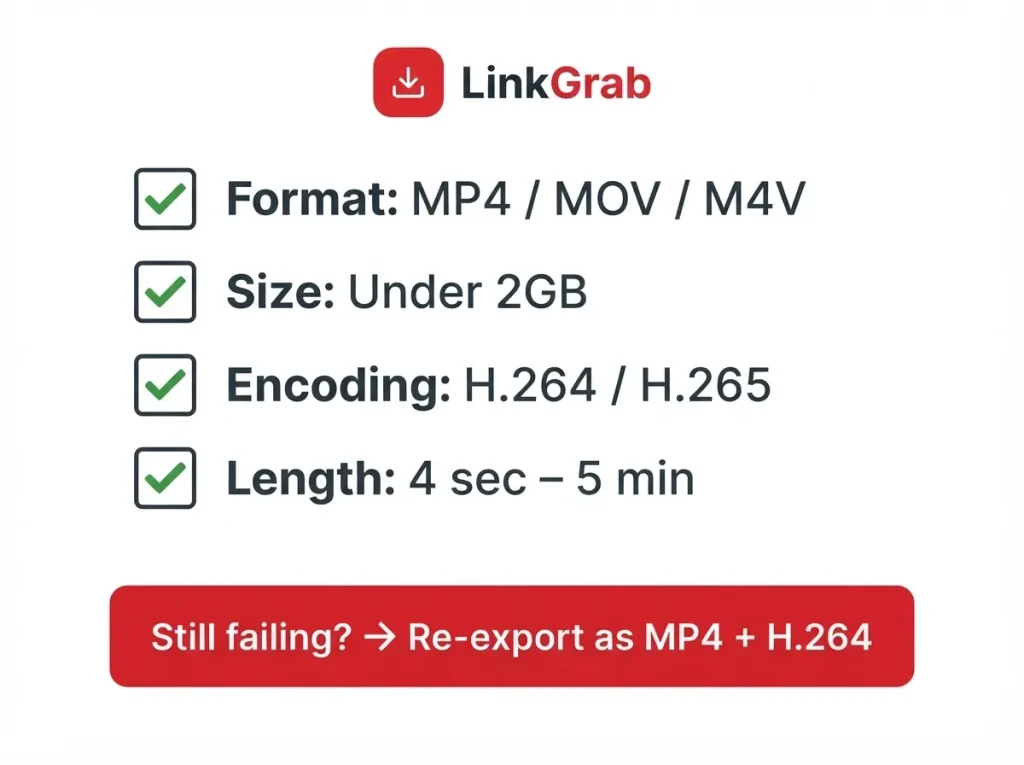
If it still fails, re-export as MP4 with H.264. That fixes most upload problems.
Square vs. Vertical
Square video works on Pinterest and has one advantage: it travels well across platforms. But on Pinterest, vertical outperforms it.
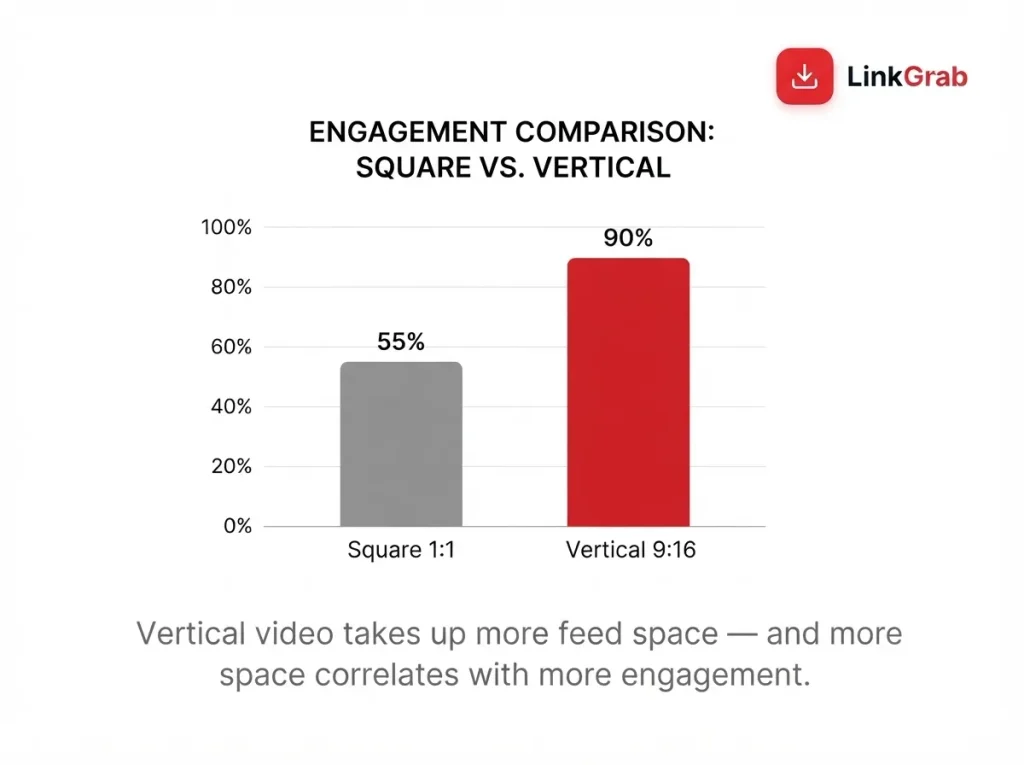
Vertical takes up more visual space, and more space correlates with more engagement. If Pinterest is a priority, export vertical.
How to Prepare Your Video
Export Settings
Target these across any editor:
- Resolution: 1080 × 1920 (or 1080 × 1350 for 4:5, 1080 × 1080 for 1:1)
- Codec: H.264
- Container: MP4
- Frame rate: 30fps
- Bitrate: 8–12 Mbps
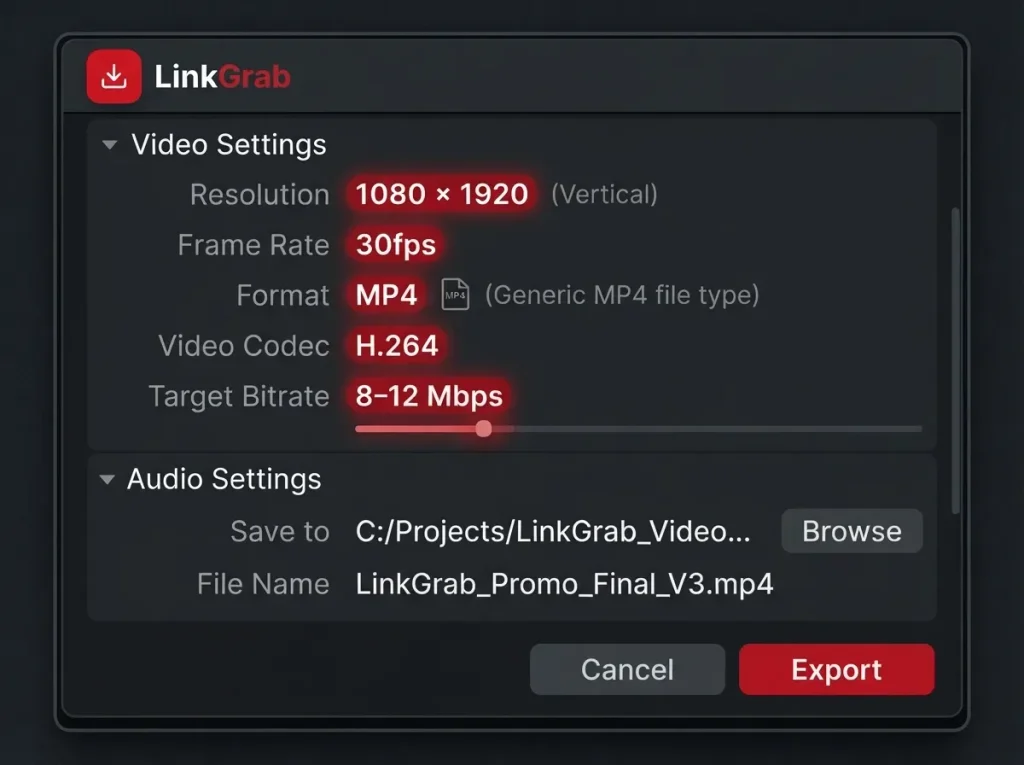
Presets labeled “TikTok” or “Instagram Reels” in CapCut, Premiere Pro, or DaVinci Resolve often produce files that work on Pinterest without changes.
Text Overlays and Captions
Pinterest videos autoplay silently. Most viewers never turn sound on. Your video has to communicate visually.
Place text in the upper or middle portion of the frame the bottom is where Pinterest’s UI sits. Keep overlays large enough to read on a phone but not so large they dominate. If your video has spoken audio, add captions. They help retention, not just accessibility. Pairing text overlays with strong Pinterest SEO best practices helps your video get discovered in the first place.
Cover Image
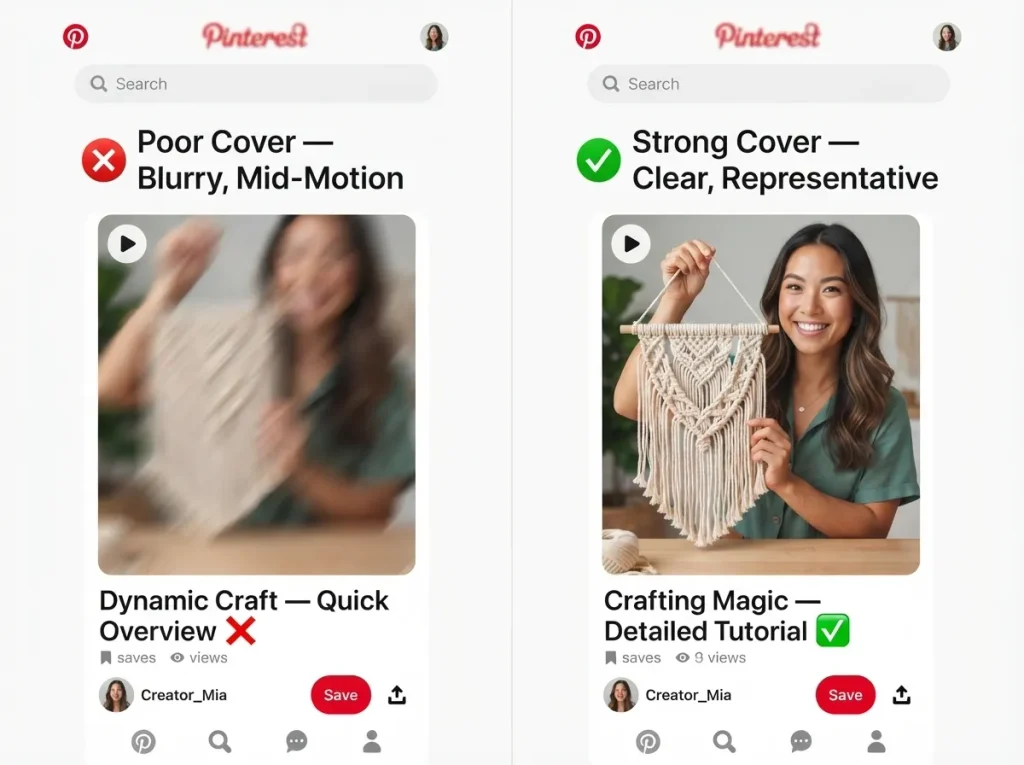
The cover appears in the feed before the video plays and on your profile grid. Choose a frame that represents the content and reads clearly at small sizes. Avoid blurry or mid-motion frames. The cover is your first impression treat it like a headline, and write your Pinterest descriptions with the same care.
How to Download Pinterest Videos at the Best Quality
There are legitimate reasons to download Pinterest videos: backing up your own content, building a reference file, or analyzing what competitors are doing. Before you start, it’s worth knowing are Pinterest downloads legal the short answer is yes for personal use. If you want a step-by-step walkthrough, this guide on how to download videos from Pinterest covers it.
The problem is that downloaded videos often look worse than the original.
Why Downloads Degrade
Pinterest serves video at different quality levels depending on connection and device. A download tool that grabs the lowest-quality stream produces a file that looks fine on a phone but poor on a bigger screen. Some methods also re-compress the file during saving, compounding artifacts.
Preserving Quality with Linkgrab.io
Linkgrab.io is a Pinterest Video Downloader built to grab the highest-quality version available. It captures the source file directly rather than re-encoding, so the downloaded video matches the original.
For creators archiving their own Pins or referencing other videos at full fidelity, that matters. A degraded copy defeats the purpose. Paste the Pin URL, choose your quality option, and the file downloads without watermarks or quality loss. The same approach works if you need a Pinterest GIF downloader for animated content.
Common Use Cases
- Backing up your own content. Platforms change; local copies are a reasonable precaution. If you’re saving stills too, here’s how to save Pinterest photos to camera roll.
- Building a swipe file. Collecting strong examples of video Pins for creative reference.
- Analyzing competitor content. Studying what works without needing a connection every time.
For all three, quality matters. Use a tool designed to preserve it.
Pinterest Video Specs Quick Reference
| Specification | Requirement |
| Recommended dimensions | 1080 × 1920 pixels |
| Aspect ratio (full-bleed) | 9:16 |
| Other accepted ratios | 1:2, 2:3, 3:4, 4:5, 1:1 |
| File formats | .MP4, .MOV, .M4V |
| Encoding | H.264 or H.265 |
| Length (organic) | 4 seconds – 5 minutes |
| Length (ads) | 4 seconds – 15 minutes |
| Max file size | 2GB |
| Frame rate | 30fps recommended |
For video ads, Pinterest recommends 6–15 seconds. Organic Pins follow a similar principle: short enough to hold attention, long enough to deliver value. If you’re working with still images alongside video, the Pinterest image size guide covers those specs.
Final Thoughts
Pinterest video specs come down to a handful of numbers: 1080 × 1920, 9:16, MP4, H.264, under 5 minutes, under 2GB. That setup covers most use cases.
The details still matter safe zones, codec choices, the difference between full-bleed and standard. Those separate a video that looks professional from one that looks like an afterthought. Get the specs right, export carefully, and if you want to understand what makes content spread, this guide on how to go viral on Pinterest breaks down the patterns.
FAQs
What is the best aspect ratio for Pinterest videos?
9:16 (1080 × 1920 pixels) for full-bleed video. The 2:3 ratio also works well for standard video Pins.
What resolution should a Pinterest video be?
1080 × 1920 pixels. This matches most smartphone screens, so the video displays without upscaling.
Can I upload a horizontal video to Pinterest?
Yes, but it gets cropped or letterboxed to fit the vertical feed and usually underperforms vertical content.
What is the maximum file size for Pinterest video?
2GB for organic Pins. Aim under 200MB for smoother uploads.
How long can a Pinterest video be?
4 seconds to 5 minutes for organic Pins. Pinterest Ads allow up to 15 minutes.
What video format does Pinterest prefer?
MP4 with H.264 encoding is the safest, most compatible choice. .MOV and .M4V are also accepted.
Why does my Pinterest video look blurry?
Usually upscaling, over-compression, or double compression. Export at 1080 × 1920 with H.264 and a bitrate of 8–12 Mbps.
Can I download a Pinterest video in high quality?
Yes. Use a dedicated Pinterest Video Downloader like Linkgrab.io to grab the source file without re-compression or quality loss.