To drive traffic from Pinterest, treat it as a visual search engine rather than a social network. Claim your website, build boards around the topics your audience searches for, write keyword-rich titles and descriptions, and publish two to five fresh, distinct Pins every day. Then give it three to six months. Pinterest rewards consistency over bursts.
Pinterest isn’t a social media platform. That’s the mistake most marketers make when they first sign up and start posting: treating it like Instagram or X, waiting for engagement, watching their traffic flatline.
Pinterest is a visual search engine. That one mental shift changes everything about how you use it.
The platform passed 640 million monthly active users in the second quarter of 2026, and 85% of its US users say they’ve bought something they found in a Pin. That puts it at a rare intersection: high buyer intent, low competition, and a content lifespan measured in months rather than hours. A Pin you publish today can still be sending visitors to your site a year from now. Try that with a tweet.
This guide covers the whole system, from setting up a business account correctly to keyword strategy, board architecture, video Pins and analytics. Bloggers, store owners and creators can all run it, and you’ll have something you can execute this week.
Table of Contents
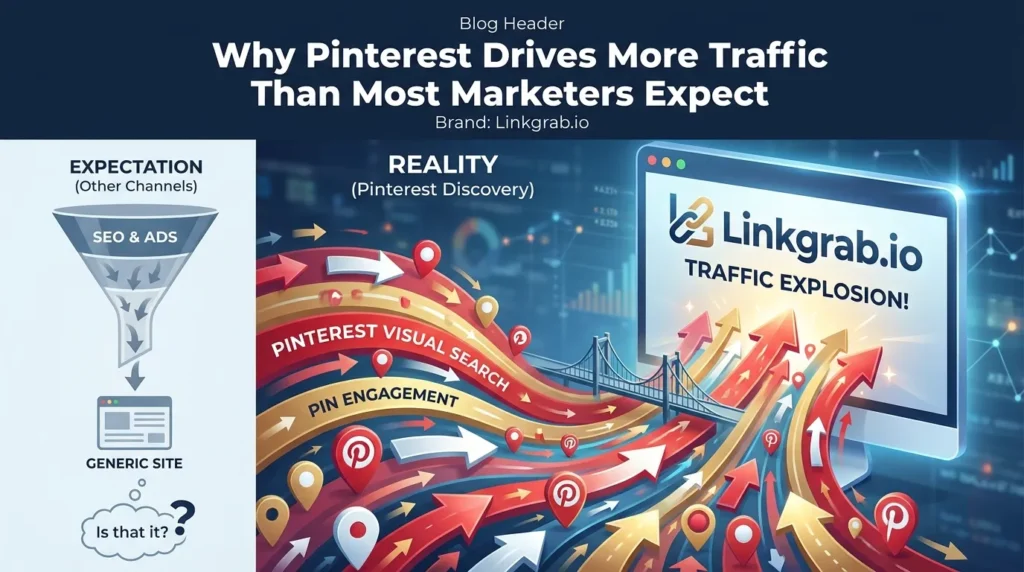
Why Pinterest Drives More Traffic Than Most Marketers Expect
Why Pinterest drives more traffic than most marketers expect
Before getting into tactics, it helps to understand why Pinterest traffic behaves the way it does.
When someone searches “kitchen remodel ideas on a budget” on Pinterest, they’re in a planning mindset. They’re looking for solutions, not entertainment. They click through to your article, land on a page that matches what the Pin promised, and they’re already halfway to reading it.
Compare that with someone who stumbles on your post through a Facebook share. Different intent, different engagement, different bounce rate.
Pinterest’s own data shows that 96% of searches on the platform are unbranded. People aren’t looking for specific companies. They’re looking for ideas, and that’s your entry point regardless of how big or small your site is.
The opportunity is also durable. Social content disappears from feeds in hours. A well-optimized Pin keeps surfacing in search for months or years, which is why marketers who treat Pinterest as a long-term asset rather than a quick spike consistently report it as a top-three traffic source.
Step 1: Set up a Pinterest business account the right way
Convert your personal account to a business account, or create a new one. It’s free, and it unlocks Pinterest Analytics, Rich Pins, and the option to run ads later if you want to.
Claim your website
Go to Settings > Claimed accounts > Claim your website. This verifies ownership and lets Pinterest attribute Pins back to your domain, which matters for both Rich Pins and analytics accuracy.
Complete your profile for search visibility
Your Pinterest profile is indexed by Pinterest’s own search and by Google. Write your bio as if it were a meta description:
- Lead with what you do and who you help
- Include your primary keyword naturally
- Link to your homepage or a high-value landing page
Example: “Practical home décor ideas and DIY tutorials for small-space living. New Pins weekly. Click through for step-by-step guides.”
Enable Rich Pins
Rich Pins pull metadata from your website into the Pin itself: title, description, price, or ingredients, depending on the type. They look more polished, perform better in search, and update automatically when your content changes.
To turn them on, your site needs proper Open Graph or schema markup, and you run one URL through Pinterest’s Rich Pins validator. Once one page is approved, Rich Pins apply across your whole domain. Approval is usually quick, but it isn’t instant and it isn’t automatic.
Step 2: Build a board structure that mirrors your content strategy
Your boards are the architecture of your Pinterest presence. A chaotic board structure confuses both the algorithm and your audience.
Think in topics, not in posts
Instead of a board called “My Blog Posts,” create boards around what your ideal reader is searching for:
- “Healthy Meal Prep for Beginners”
- “Home Office Setup Ideas”
- “Budget Travel Europe”
Each board title is a keyword opportunity. Pinterest reads board names and descriptions to understand what your content is about and who to show it to.
Write keyword-rich board descriptions
Every board has a description field that most people leave blank. Don’t. Write 100 to 200 words describing the topic in the language your audience actually uses. Think of it as a mini landing page for that content cluster.
Create a “Best Of” board
Pin your highest-traffic content to a dedicated “Best of [Your Brand]” board. It gives new followers a curated entry point and concentrates your strongest Pins in one discoverable place.
How many boards do you need?
Start with 10 to 15 tightly focused boards rather than 40 unfocused ones. Pinterest rewards clear topical focus. As you publish more, you can expand, but thin, scattered boards hurt more than they help early on.
If you’ve already got years of loosely related saves cluttering your boards, clean them up before you start. Pinterest’s Organize mode lets you select multiple Pins on Pinterest and move or delete them in batches, which turns a weekend job into an hour.
Step 3: Master Pinterest SEO, the traffic driver most people miss
Pinterest SEO is the highest-leverage activity on the platform. Get it right and your Pins surface to people actively looking for what you offer, without spending a dollar on ads.
How Pinterest’s search algorithm works
Pinterest ranks Pins on several signals:
- Keyword relevance: does the Pin title, description and alt text match the query?
- Pin quality: click-through rate, saves, and how quickly engagement arrives after publishing
- Domain quality: how often traffic to your site results in a good experience
- Pinner quality: consistency, engagement rate, and account age
It’s a feedback loop. Strong early engagement earns wider distribution, which earns more engagement. That’s why the first 24 to 48 hours after publishing matter most, and it’s the mechanism behind how to go viral on Pinterest when it happens.
Keyword research for Pinterest
Start with Pinterest Trends, Pinterest’s free public tool. It shows search interest over time for any term, broken down by country, and it’s the fastest way to see what your audience is looking for right now.
Then:
- Type a topic into the Pinterest search bar and study the autocomplete suggestions
- Look at the related-topic tags that appear under Pins in your niche
- Cross-reference with Google’s “People also ask” results. There’s significant overlap in intent.
Pinterest Ads Manager also shows search volume estimates when you set up keyword targeting, even if you never run the campaign.
Where to place keywords
- Pin title: lead with the primary keyword, under 100 characters
- Pin description: two or three natural sentences with primary and secondary terms worked in. There’s a field-by-field breakdown of how to write Pinterest descriptions if you want the detail.
- Board title and description: as above
- Image alt text: add descriptive alt text that includes the keyword when you upload
- Your website’s page title and meta description: Pinterest pulls these for Rich Pins
Every one of those fields is covered in the guide to how to add keywords to Pinterest, including a few that most people never fill in.
One thing to avoid: keyword stuffing. Pinterest’s algorithm is sophisticated enough to penalize descriptions that read like a list of search terms. Write for humans first.
Step 4: Create Pins that get clicked
Traffic from Pinterest starts with someone deciding to click. That decision happens in under two seconds, and your creative needs to be built around that fact.
Pin image specifications that perform
- Vertical wins. A 2:3 ratio at 1000 × 1500 px consistently outperforms square or horizontal Pins.
- High contrast. Pins need to stand out in a visually noisy feed. Muted palettes only work as a deliberate brand choice.
- Text overlay. Put the title or hook on the image itself, not just in the description. Many people browse without reading descriptions.
- Your URL or brand name. Watermark the Pin with your site URL in small text. When Pins get saved and reshared, and they will, the attribution travels with them.
Writing Pin titles that earn clicks
The Pin title works like a headline. It needs to communicate a specific outcome, include the primary keyword naturally, and create curiosity without tipping into clickbait.
Compare “Kitchen Ideas” with “15 Small Kitchen Storage Ideas That Free Up Counter Space.” The second tells the searcher exactly what they’ll get. It’ll earn a higher click-through rate, get saved more, and Pinterest will reward it with broader distribution.
The hook is in the first line of your description
Most Pin descriptions show only the first line or two before the “more” tap. Write that first line like a pull quote: specific, benefit-driven, and worth reading on its own.
Make more than one Pin per piece of content
Each blog post or product page can support three to five different Pin designs. Vary the image, the headline, the angle. A Pin with multiple photos showing several angles or variations counts as fresh creative too, and it’s quicker to produce than a full redesign.
Step 5: Use Pinterest video Pins to accelerate traffic growth
Video Pins have become one of the highest-engagement formats on the platform. They autoplay in feeds and search results, so they grab attention even from people who weren’t looking for your content.
For tutorials, product demonstrations, or any process-driven content, video Pins are no longer optional.
What makes a Pinterest video Pin work
- Hook within the first two seconds. No slow intros, no logo animations.
- Readable without sound. Most videos are watched muted. Use text overlays and captions.
- Length: 15 to 60 seconds for top-of-funnel content; up to three minutes for tutorials.
- A strong thumbnail. Pinterest shows it before the video plays, so it still needs to work as a static Pin.
If full video feels like a lot, a short loop is an easier way in. Posting a GIF on Pinterest works well once you know the MP4 trick that makes it actually animate in the feed.
Repurposing video content for Pinterest
If you’re already making video for YouTube, Instagram Reels or TikTok, most of it can be repurposed for Pinterest with minimal editing. Trim to length, add Pinterest-style text overlays, and export as MP4 or MOV, up to 2GB.
Study what’s already working before you create
Before designing anything, spend twenty minutes looking at the Pins that already rank for your target terms. Pinterest has no native download option, so use the Pinterest video downloader to save the top video Pins to a folder and compare how each one handles its first two seconds. The Pinterest image downloader does the same for static Pins, at full resolution. Study the patterns, then build your own. Reposting someone else’s Pin as-is gets accounts suppressed.
That research loop, studying what performs and then creating original work informed by it, is how experienced Pinterest marketers stay ahead of the feed.
Step 6: Publish consistently with a pinning schedule
Consistency is the most underrated lever on Pinterest. Accounts that publish regularly signal to the algorithm that they’re active, authoritative sources worth distributing.
How often should you pin?
Two to five fresh, original Pins per day. Quality and distinct creative matter far more than volume. The old tactic of pinning 15 or more times a day, or flooding boards with recycled images, now works against you. Pinterest heavily deprioritizes heavy repinning and rewards accounts that keep introducing new images and video.
Repinning the same image over and over is also one of the most common reasons Pinterest monthly views drop for accounts that feel like they’re posting plenty.
Use a scheduler
Manual pinning through the day isn’t realistic for most people. Tailwind, an official Pinterest partner, lets you batch-create and schedule Pins across boards, and it surfaces your best-performing posting windows based on your own audience.
For US audiences, 8 to 11 PM Eastern is typically the strongest window, but check your own analytics before assuming.
One thing to watch: schedulers quietly lose their connection to Pinterest more often than people realize, and Pins stop going out with no obvious warning. If your queue looks full but nothing is publishing, check for Pinterest authorization failed errors before you rethink your strategy.
Spread Pins across boards
When you publish a new post or product, create three to five Pin designs for it and schedule them to different relevant boards over several days, not all at once. That spreads distribution without tripping duplicate-content flags.
Step 7: Optimize your website for Pinterest traffic
Getting the click is half the job. The landing page decides whether that visitor becomes a reader, subscriber or customer.
Match the Pin promise
If the Pin says “7 Slow Cooker Recipes Ready in 20 Minutes,” the page should open with those recipes. Not a generic homepage, not a roundup that covers other cooking methods. Every traffic source is a promise. Break it and you lose the reader in under ten seconds.
Add Save buttons to your images
Install the Pinterest Save button, or a plugin like Tasty Pins on WordPress, so visitors can Pin images from your site straight to their boards. That creates a compounding loop: your readers distribute your content, which sends new traffic back to the same page.
Pinterest-friendly image design
- Vertical images perform best in Pinterest feeds
- Include descriptive alt text. Pinterest uses it as the default description when someone saves from your site.
- Name files descriptively: small-kitchen-storage-ideas.jpg, not IMG_4821.jpg
Landing page speed
Pinterest users browse fast. A slow page loses them before the content appears. Target load times under three seconds. On WordPress, a lightweight theme, image compression and a caching plugin cover most of the gap.
Step 8: Analyze your Pinterest analytics and iterate
Pinterest’s native analytics give you enough to make real decisions without third-party tools, though those add useful depth.
What to track
Impressions: how many times your Pins appeared in feeds and search. A leading indicator of reach, not revenue.
Saves: how often people added your Pin to their own boards. A strong save rate means the content is genuinely useful and will be redistributed.
Click-through rate: the share of people who saw the Pin and clicked through to your site. This is the number that maps directly to traffic. Most Pins sit well under 1%; anything consistently above that is worth studying and replicating.
Top Pins by outbound clicks: your real traffic drivers. Look at what they share in format, topic, headline style and image type, then make more of it.
Audience insights: where your audience is, what else they’re interested in, what devices they use. Feed that back into your topics and posting times.
Monthly audit routine
Once a month:
- Identify your top 10 Pins by outbound clicks
- Identify your bottom 10 by click-through rate
- Create new variations of the top performers: same content, new design or headline
- Retire or redesign the underperformers
- Review which boards drive the most traffic and shift focus toward them
Pinterest rewards iteration. The accounts that grow fastest run this loop consistently. The ones that post and hope don’t.
Pinterest strategy for different content types
Bloggers and content sites
Pinterest is one of the highest-ROI channels for bloggers, particularly in food, DIY, home décor, personal finance, travel, parenting and wellness. The play: one strong pillar post per week, three to five Pins per post, and an evergreen board structure around your core topics.
The traffic compounds. A post pinned consistently over 12 months will still be pulling visitors in month 24 with almost no extra effort.
E-commerce stores
Pinterest users are active shoppers. Enable Shopping Pins by connecting your product catalog through Shopify, WooCommerce or an XML feed. Products with visible pricing perform particularly well for commercial queries.
Use lifestyle photography over product-on-white. Context sells on Pinterest. Show the product in use, in a real space, in a situation your buyer recognizes. A Pinterest collage built with Pinterest’s own cutout tool is a quick way to get several products into one native-looking Pin.
Marketplace sellers have a different setup, because you can’t claim a shop you don’t host. There’s a dedicated guide to pinning from Etsy to Pinterest for traffic that covers what works there.
Service businesses and coaches
The angle is education, not promotion. Create Pins that link to lead magnets, free guides and posts that demonstrate expertise. In service categories, Pinterest traffic converts to email subscribers and consultation inquiries better than most owners expect.
Common Pinterest traffic mistakes (and how to fix them)
Pinning for two weeks, then giving up. Pinterest has a longer feedback loop than other platforms. Most accounts see meaningful gains three to six months in. Give it time.
Using horizontal images. Vertical 2:3 Pins take up more feed space and get far more engagement. Redesign if needed.
Skipping keyword research. Beautiful Pins with no keyword work are like a great article nobody can find. The keywords are what get you discovered.
Sending all traffic to the homepage. Link Pins to specific, relevant pages. Deep links convert better and bounce less.
Ignoring analytics. If you don’t know which Pins drive traffic, you can’t repeat them.
One Pin per piece of content. Every post can support several designs, headlines and angles. Build a system for producing variations and spacing them out over time.
Conclusion: Pinterest traffic is earned, not hacked
The brands and creators driving serious traffic from Pinterest aren’t doing anything complicated. They do consistent keyword research, build organized boards, create high-quality vertical graphics, and publish regularly over months rather than weeks.
The platform rewards patience and quality in a way most social channels no longer do. Content published today keeps working tomorrow, next month and next year. That’s a rare property in content marketing.
Start with the foundation: convert to a business account, claim your domain, research your keywords, build your first ten tightly focused boards. Create your first round of Pins with strong titles, keyword-rich descriptions and clear calls to action. Publish consistently. Review analytics monthly. Iterate.
The traffic compounds. Give it the time it needs, and Pinterest becomes one of your most reliable channels.
FAQS
How long does it take to see traffic from Pinterest?
Most accounts see initial traffic within 30–60 days of consistent pinning. Significant, reliable traffic typically builds over 3–6 months as your pins accumulate saves, shares, and search visibility. Pinterest is a long-game strategy; accounts that stick with it consistently for 6+ months typically see it become a top-three traffic source.
How many pins should I post per day?
Aim for 2–5 fresh, original pins per day. Focus on unique design variations of your own content. Introducing fresh, scroll-stopping canvases will yield far better distribution metrics than mass-producing generic copies or relying on extensive cross-repinning arrays.
Do I need to use Pinterest Ads to drive traffic?
No. Organic Pinterest marketing can be highly effective without any paid spend. That said, if you have a piece of content that’s already performing well organically, a small Promoted Pins budget can accelerate its distribution significantly.
What’s the best image size for Pinterest?
The 2:3 vertical ratio (1000 x 1500px) consistently performs best for static pins. For video pins, 9:16 vertical or 1:1 square work well. Avoid horizontal images unless your specific content requires it.
Can I use Pinterest to drive traffic to a YouTube channel?
Yes. Create pins that link directly to your YouTube videos, or use Pinterest video pins as short previews with a “watch the full video” CTA. Many content creators successfully use Pinterest as a discovery channel that feeds YouTube subscribers.
Is Pinterest good for B2B marketing?
It’s more effective for some B2B niches than others. Marketing, design, productivity, finance, and tech-adjacent B2B content tends to perform reasonably well. Highly specialized industrial or enterprise B2B content typically finds a smaller audience on Pinterest.
4 thoughts on “How to Use Pinterest to Drive Traffic in 2026 | Complete Guide”