Quick Answer: To drive massive traffic from Pinterest in 2026, treat the platform as a visual search engine rather than a social media network. Focus on verifying your domain for Rich Pins, naturally mapping out keyword-rich board descriptions, and publishing a consistent cadence of 2–5 highly distinct, fresh image pins or video canvases every single day to satisfy the predictive distribution algorithm.
Pinterest isn’t a social media platform. That’s the mistake most marketers make when they first sign up and start posting, treating it like Instagram or Twitter, waiting for engagement, watching their traffic flatline.
Pinterest is a visual search engine. And that one mental shift changes everything about how you use it.
With over 631 million monthly active users, 85% of whom say Pinterest is their go-to place to start a new project or purchase decision, the platform sits at a rare intersection: high buyer intent + low competition + long content lifespan. A pin you publish today can drive traffic to your website 12 months from now. Try that with a tweet.
This guide covers exactly how to use Pinterest to drive traffic to your site from setting up a business account correctly to mastering video pins, keyword strategy, and board architecture. Whether you’re a blogger, e-commerce store owner, or content creator, you’ll leave with a system you can execute this week.
Table of Contents
Why Pinterest Drives More Traffic Than Most Marketers Expect
Before getting into tactics, it helps to understand why Pinterest traffic converts the way it does.
When someone searches “kitchen remodel ideas on a budget” on Pinterest, they’re in a planning mindset. They’re looking for inspiration and solutions. They click through to your article, land on a page that matches what the pin promised, and they’re already halfway sold on reading it.
Compare that to someone who stumbles on your post via a Facebook share. Different intent, different engagement, different bounce rate.
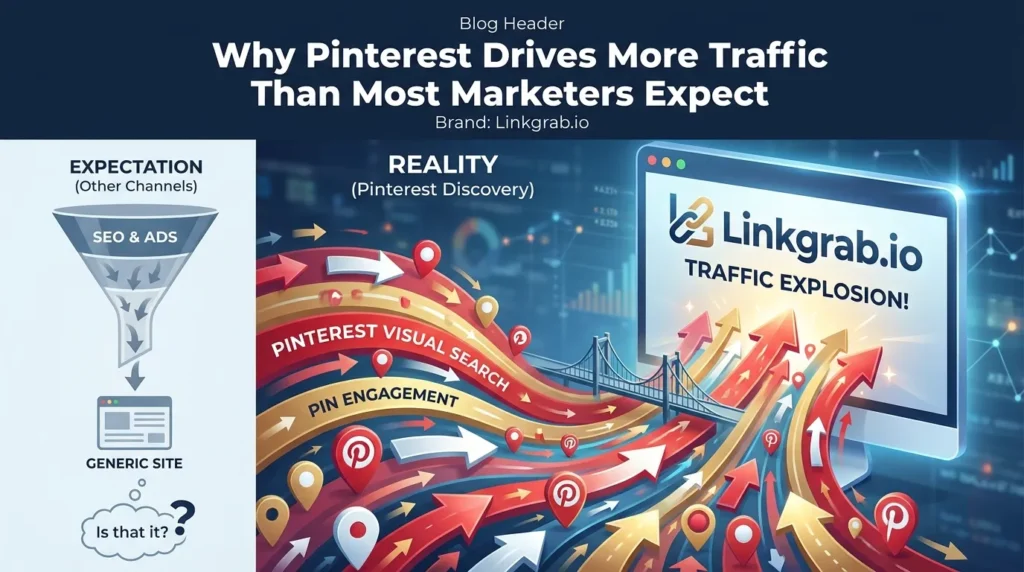
Pinterest’s own data shows that 96% of all searches on the platform are unbranded, meaning people aren’t searching for specific companies , they’re searching for ideas. That’s your entry point, regardless of how big or small your domain authority is.
The traffic opportunity is also durable. Unlike social content that disappears from feeds in hours, a well-optimized pin continues to surface in search results for months or years. Content marketers who treat Pinterest as a long-term asset not a quick spike tool consistently report it as a top-three traffic source.
Step 1: Set Up a Pinterest Business Account the Right Way
If you haven’t already, convert your personal account to a business account (or create a new one). It’s free and unlocks Pinterest Analytics, Rich Pins, and the ability to run Pinterest Ads later if you choose.
Claim Your Website
Go to Settings > Claimed Accounts > Claim your website. This verifies ownership and enables the system to attribute pins back to your domain critical for Rich Pins and analytics accuracy.
Complete Your Profile for Search Visibility
Your Pinterest profile is indexed by both Pinterest’s internal search and Google. Write your bio as if it’s a meta description:
- Lead with what you do and who you help
- Include your primary keyword naturally
- Link directly to your homepage or a high-value landing page
Example: “Practical home décor ideas and DIY tutorials for small-space living. New pins weekly. Click through for step-by-step guides.”
Enable Rich Pins
Rich Pins automatically pull metadata title, description, price, or ingredients directly from your website into the pin. They look more polished, perform better in search, and reduce the manual work of updating pin details when your content changes. Once your website is claimed and contains proper Open Graph or Schema metadata, Pinterest will automatically approve and apply your Rich Pin status natively within 24 hours.
Step 2: Build a Board Structure That Mirrors Your Content Strategy
Your boards are the architecture of your Pinterest presence. A chaotic board structure confuses both Pinterest’s algorithm and your audience.
Think in Topics, Not in Posts
Instead of creating a board called “My Blog Posts,” create boards around topics your ideal audience is searching for:
- “Healthy Meal Prep for Beginners”
- “Home Office Setup Ideas”
- “Budget Travel Europe”
Each board title is a keyword opportunity. Pinterest reads board names and descriptions as signals to understand what your content is about and who to show it to.
Write Keyword-Rich Board Descriptions
Every board has a description field that most people leave blank. Don’t. Write 100–200 words describing the board topic using language your audience actually searches. Think of it as a mini landing page for that content cluster.
Create a “Best Of” Board
Pin your highest-traffic content to a dedicated “Best Of [Your Brand]” board. This serves as a curated entry point for new followers and concentrates your strongest pins in one discoverable place.
How Many Boards Do You Need?
Start with 10–15 tightly focused boards rather than 40 unfocused ones. Pinterest rewards accounts with clear topical focus. As you publish more content and grow, you can expand but thin, scattered boards hurt more than they help early on.
Step 3: Master Pinterest SEO The Traffic Driver Most People Miss
Pinterest SEO is the highest-leverage activity on the platform. Get this right and your pins surface to people actively looking for what you offer, without you spending a dollar on ads.
How Pinterest’s Search Algorithm Works
Pinterest ranks pins based on several signals:
- Keyword relevance: Does the pin title, description, and alt text match the search query?
- Pin quality click-through rate, saves, and engagement velocity
- Domain quality how often does Pinterest traffic from your domain result in a positive experience?
- Pinner quality consistency, engagement rate, and account age
The algorithm is a feedback loop: strong initial engagement leads to broader distribution, which leads to more engagement. That’s why the first 24–48 hours after publishing a pin matter most.
Keyword Research for Pinterest
Pinterest has its own keyword tool hidden in the Ads section. Go to Ads > Create Campaign > and navigate to the interest/keyword targeting section. You’ll see search volume estimates for any keyword you type use this data to identify what your audience is searching for.
Additional methods:
- Type a topic into the Pinterest search bar and study the auto-complete suggestions
- Look at the “more like this” tags that appear under pins in your niche
- Cross-reference with Google’s “People Also Ask” results for the same topic there’s significant overlap in search intent
Where to Place Keywords
- Pin title: lead with the primary keyword, keep it under 100 characters
- Pin description: 150–300 words, conversational, include primary and secondary keywords naturally
- Board title and description: as described above
- Image alt text: when you upload an image, add descriptive alt text that includes the keyword
- Your website’s page title and meta description: Pinterest pulls these for Rich Pins
One thing to avoid: keyword stuffing. Pinterest’s algorithm has become sophisticated enough to penalize pin descriptions that read like a list of search terms. Write for humans first.
Step 4: Create Pins That Get Clicked
Traffic from Pinterest starts with someone deciding to click your pin. That decision happens in under two seconds. Your creative needs to be built around that fact.
Pin Image Specifications That Perform
- Vertical format wins: 2:3 ratio (1000 x 1500px) consistently outperforms square or horizontal pins
- High contrast: pins need to stand out in a visually noisy feed avoid muted colors unless that’s a deliberate brand choice
- Text overlay: add a title or hook to the image itself, not just in the description. Many users browse without reading descriptions
- Your URL or brand name: watermark the pin with your website URL in small text. When pins are saved and reshared (which they will be), the attribution travels with them
Writing Pin Titles That Earn Clicks
The pin title functions like a headline. It needs to:
- Communicate the specific benefit or outcome
- Include the primary keyword naturally
- Create curiosity or urgency without being clickbait
Compare: “Kitchen Ideas” vs. “15 Small Kitchen Storage Ideas That Free Up Counter Space”
The second pin tells the searcher exactly what they’ll get. It’ll earn a higher click-through rate, get saved more, and Pinterest will reward it with broader distribution.
The Hook Is in the First Line of Your Description
Most pin descriptions display only the first line or two before the “more” click. Write that first line like a pull quote specific, benefit-driven, and worth reading on its own.
Step 5: Use Pinterest Video Pins to Accelerate Traffic Growth
Video pins have become one of the highest-engagement content types on the platform. They autoplay in feeds and search results, which means they grab attention even from users who weren’t actively looking for your content.
For brands focused on tutorials, product demonstrations, or process-driven content, video pins are non-negotiable in 2026.
What Makes a Pinterest Video Pin Work
- Hook within the first 2 seconds no slow intros, no logo animations
- Readable without sound most videos are watched muted; use text overlays and captions
- Optimal length: 15–60 seconds for top-of-funnel content; up to 3 minutes for tutorial-style content
- Strong thumbnail Pinterest shows the thumbnail before the video plays, so it still needs to function as a static pin
Saving and Repurposing Video Content for Pinterest
If you’re creating video content for other platforms YouTube, Instagram Reels, TikTok that content can often be repurposed for Pinterest with minimal editing. Trim to the appropriate length, add Pinterest-optimized text overlays, and export in the right format (MP4, MOV, up to 2GB).
One practical challenge that comes up often: you’ve found a Pinterest video that demonstrates exactly what you want to teach, reference, or repurpose but there’s no native download option on the platform. This is where a tool like LinkGrab.io becomes genuinely useful. LinkGrab.io is a Pinterest video downloader that lets you save Pinterest video content directly to your device, so you can reference it offline, review it for creative inspiration, or repurpose it into your own original content. It’s a clean, straightforward tool paste the pin URL, and the video is available to download in seconds.
That kind of workflow studying what’s performing well on the platform, then creating original content informed by that research is how experienced Pinterest marketers stay ahead of trends.
Step 6: Publish Consistently With a Pinning Schedule
Consistency is the single most underrated lever on Pinterest. Accounts that publish regularly signal to Pinterest’s algorithm that they’re active, authoritative sources worth distributing.
How Often Should You Pin?
The optimal strategy is publishing 2–5 fresh, original pins per day. Quality and unique creative assets matter far more than sheer volume. Avoid the old school tactic of pinning 15+ times a day or flooding your boards with recycled content; the algorithm heavily deprioritizes heavy repinning and rewards creators who consistently introduce unique, high-quality images and video canvases to the platform.
Use a Scheduler
Manual pinning throughout the day isn’t realistic for most content creators. Tools like Tailwind (Pinterest’s official scheduling partner) allow you to batch-create and schedule pins across your boards. Tailwind also provides analytics on your best performing times to post and recommends optimal scheduling windows based on your audience.
Schedule your unique variations at peak times (typically 8–11 PM EST for US audiences) to ensure steady distribution loops throughout the week.
Spread Pins Across Boards
When you publish a new blog post or product page, create 3–5 different pin designs for it and schedule them to different relevant boards over the course of several days not all at once. This spreads distribution without triggering duplicate content flags.
Step 7: Optimize Your Website for Pinterest Traffic
Getting someone to click your pin is only half the job. The landing page they arrive on determines whether that traffic turns into a reader, subscriber, or customer.
Match the Pin Promise
If your pin says “7 Slow Cooker Recipes Ready in 20 Minutes,” the landing page should open with those recipes not a generic blog homepage or a recipe roundup covering other cooking methods. Every traffic source is a promise. Break it and you lose the reader in under ten seconds.
Add Save Buttons to Your Images
Install the Pinterest Save button (or a plugin like Tasty Pins for WordPress) so visitors can pin images from your site directly to their boards. This creates a compounding loop: your content gets distributed by readers, driving new traffic back to the same page.
Pinterest-Friendly Image Design
Design images in your content with Pinterest sharing in mind:
- Vertical images perform best on Pinterest feeds
- Include descriptive alt text (which Pinterest uses as the default pin description when someone saves from your site)
- Name image files descriptively (e.g., small-kitchen-storage-ideas.jpg, not IMG_4821.jpg)
Landing Page Speed
Pinterest users are browsing rapidly, and a slow-loading page will lose them before the content even appears. Target sub-3-second load times. For WordPress sites, a lightweight theme, image compression, and a caching plugin will cover most of the gap.
Step 8: Analyze Your Pinterest Analytics and Iterate
Data drives improvement. Pinterest’s native analytics give you enough to make meaningful decisions without needing third-party tools (though third-party tools add useful depth).
What to Track in Pinterest Analytics
Impressions: how many times your pins appeared in feeds and search results. A leading indicator of reach, but not revenue.
Saves: the number of times users added your pin to their own boards. A strong save rate signals that your content is genuinely useful and will be redistributed.
Click-through rate (CTR): the percentage of people who saw your pin and clicked through to your website. This is the number that directly correlates with traffic. Industry average is 0.5–1.5%; strong performers reach 2–5%+.
Top pins by outbound clicks: your highest traffic-driving pins. Analyze what they have in common format, topic, headline style, image type and replicate those patterns.
Audience insights: where your audience is located, what other interests they have, what devices they’re using. Use this to refine your content topics and publishing times.
Monthly Audit Routine
Once a month:
- Identify your top 10 pins by outbound clicks
- Identify your bottom 10 pins by CTR
- Create new variations of your top performers (same content, new design or headline)
- Retire or redesign underperforming pins
- Review which boards drive the most traffic and shift focus toward them
Pinterest rewards iteration. The accounts that grow fastest are the ones that run this feedback loop consistently, not the ones who post and hope.
Pinterest Strategy for Different Content Types
Bloggers and Content Sites
Pinterest is one of the highest ROI channels for bloggers, particularly in niches like food, DIY, home décor, personal finance, travel, parenting, and wellness. The strategy: publish one strong pillar post per week, create 3–5 pins per post, and build an evergreen board structure around your core topics.
Your traffic will compound. A post pinned consistently over 12 months will still drive traffic in month 24 with minimal additional effort.
E-Commerce Stores
Pinterest users are active shoppers. Enable Shopping Pins by connecting your product catalog via a Shopify, WooCommerce, or XML feed integration. Products with pricing visible in the pin perform particularly well for commercial intent queries.
Use lifestyle photography over product-on-white-background images context sells on Pinterest. Show the product in use, in a real space, in a situation your buyer recognizes.
Service Businesses and Coaches
The angle here is education, not promotion. Create pins that link to lead magnets, free guides, and blog posts that demonstrate your expertise. Pinterest traffic in service categories converts to email subscribers and consultation inquiries more effectively than most business owners expect.
Common Pinterest Traffic Mistakes (and How to Fix Them)
Pinning inconsistently for two weeks, then giving up. Pinterest has a longer feedback loop than other platforms. Most accounts see meaningful traffic increases 3–6 months after starting a consistent strategy. Give it time.
Using horizontal images. Vertical 2:3 pins take up more feed space and get significantly more engagement. Redesign your graphics if needed.
Skipping keyword research. Posting beautiful pins without keyword optimization is like writing a great article and forgetting to publish it. The keyword work is what makes people find you.
Sending all traffic to the homepage. Link pins to specific, relevant pages. Deep links convert better and reduce bounce rate.
Ignoring Pinterest Analytics. If you don’t know which pins are driving traffic, you can’t replicate their success.
Creating pins only once per piece of content. Each piece of content can support multiple pin designs, headlines, and angles. Create a system for generating several variations and distributing them over time.
Conclusion: Pinterest Traffic Is Earned, Not Hacked
The brands and creators driving serious traffic from Pinterest aren’t doing anything complicated. They’re applying consistent keyword research, building organized board structures, creating high-quality vertical graphics, and publishing regularly over months not weeks.
The platform rewards patience and quality in a way that most social channels no longer do. Content published today continues to drive traffic tomorrow, next month, and next year. That’s a genuinely rare property in content marketing.
Start with the foundation: convert to a business account, claim your domain, research your keywords, and build your first ten tightly focused boards. Create your first round of pins with strong titles, keyword-rich descriptions, and clear CTAs. Publish consistently. Review your analytics monthly. Iterate.
The traffic compounds. Give it the time it needs, and Pinterest will become one of your most reliable channels.
Looking to save Pinterest video content for research or offline reference? LinkGrab.io is a free Pinterest video downloader that lets you save any Pinterest video to your device in seconds making it an essential asset for content research, inspiration gathering, and repurposing workflows.
FAQS
How long does it take to see traffic from Pinterest?
Most accounts see initial traffic within 30–60 days of consistent pinning. Significant, reliable traffic typically builds over 3–6 months as your pins accumulate saves, shares, and search visibility. Pinterest is a long-game strategy; accounts that stick with it consistently for 6+ months typically see it become a top-three traffic source.
How many pins should I post per day?
Aim for 2–5 fresh, original pins per day. Focus on unique design variations of your own content. Introducing fresh, scroll-stopping canvases will yield far better distribution metrics than mass-producing generic copies or relying on extensive cross-repinning arrays.
Do I need to use Pinterest Ads to drive traffic?
No. Organic Pinterest marketing can be highly effective without any paid spend. That said, if you have a piece of content that’s already performing well organically, a small Promoted Pins budget can accelerate its distribution significantly.
What’s the best image size for Pinterest?
The 2:3 vertical ratio (1000 x 1500px) consistently performs best for static pins. For video pins, 9:16 vertical or 1:1 square work well. Avoid horizontal images unless your specific content requires it.
Can I use Pinterest to drive traffic to a YouTube channel?
Yes. Create pins that link directly to your YouTube videos, or use Pinterest video pins as short previews with a “watch the full video” CTA. Many content creators successfully use Pinterest as a discovery channel that feeds YouTube subscribers.
Is Pinterest good for B2B marketing?
It’s more effective for some B2B niches than others. Marketing, design, productivity, finance, and tech-adjacent B2B content tends to perform reasonably well. Highly specialized industrial or enterprise B2B content typically finds a smaller audience on Pinterest.